
Finding an engagement ring you love online is the easy part. The hard part is knowing whether you'll still love it on your own hand.
A ring can look perfect in a product photo but feel different on your finger: the stone may look too large, the band too wide, or the setting simply not feel right.
A virtual engagement ring try-on helps you check before you buy. Upload a photo of your hand, pick a ring from a gallery or upload a photo of one you've found, and compare different stones, metals, and settings by trying one ring after another. Instead of guessing, you can see what works on your hand.
Let's get into it!
How a Virtual Engagement Ring Try-On Works
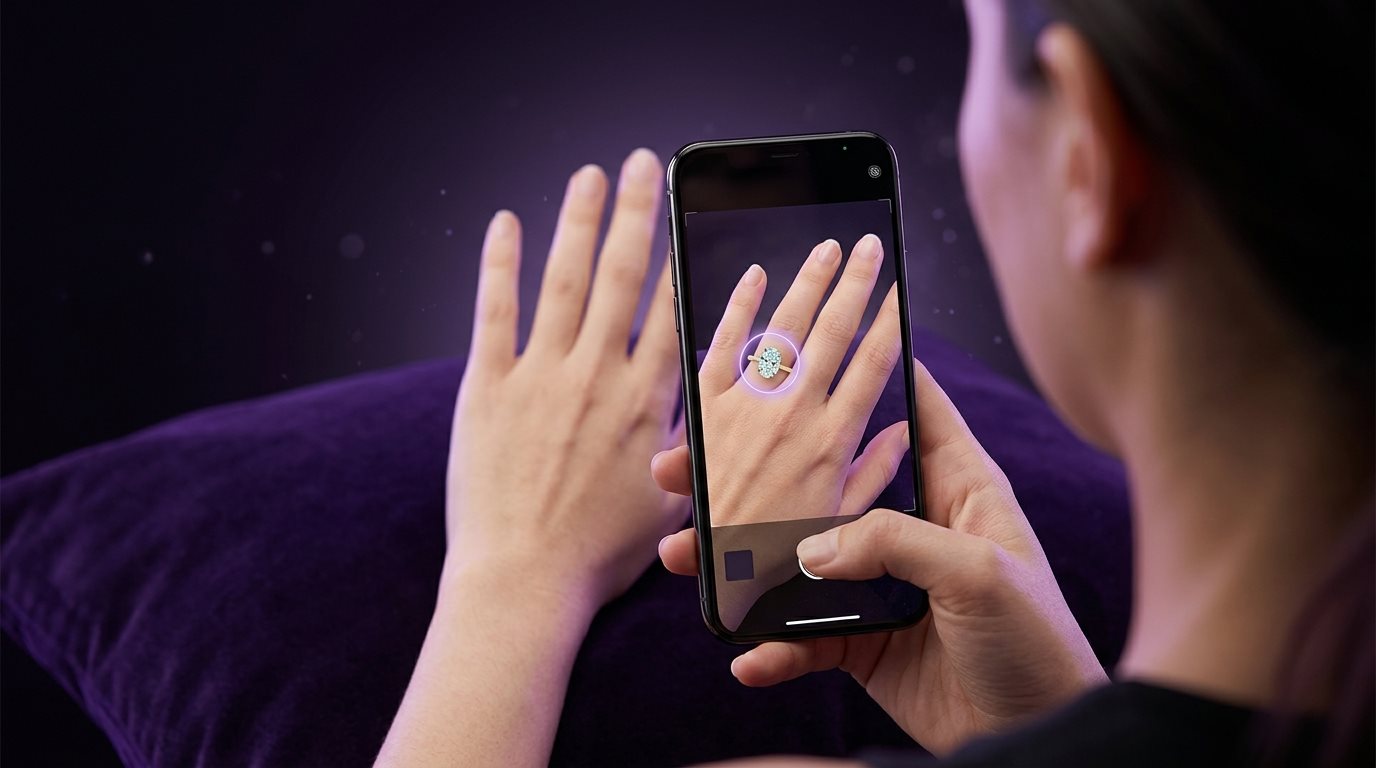
Basically, it's software that shows a realistic image of a ring sitting on a real hand, either yours or your partner's if you're planning something. Some tools use your phone's live camera, so the ring appears and moves with your hand in real time. Others work from a single uploaded photo, which the AI analyzes to figure out where your finger is, how big it is, and at what angle you're holding your hand. Then it scales and places the ring to match.
If you're shopping for yourself, this is straightforward: you get a normal preview on your own hand. If you're shopping for a partner, most tools work just as well with a casual, candid photo of their hand taken without them knowing what it's for. That's one of the more useful applications of this technology, because you get to preview real rings against the actual hand they're going to sit on, instead of guessing from memory or comparing against a model's hand in a catalog photo.
Why This Doesn't Feel Like the Old Way of Ring Shopping
Ring shopping itself has shifted a lot recently. More people want a say in their own engagement ring style instead of having it picked for them, and plenty of couples now design the ring together rather than leaving the decision to one person.
Personalization (engraving, meaningful stones, custom settings) has become one of the defining threads in how people buy rings today, with couples caring more about how well a ring reflects their story than about maximizing carat size.
That shift is exactly why ring try-on tools matter now in a way they didn't a few years ago. When so many buyers are actively involved in the design process rather than picking something off a shelf, being able to preview a ring on a real hand (stone shape, setting, engraving, all of it) solves a real problem instead of being a novelty feature.
The Easiest Way to Shop for an Engagement Ring at Home
This is where the tool earns its keep day to day. You don't need to walk in already knowing exactly what you want. You can sit at home, pull up different designs, and slowly figure out what appeals to you once you see it on your own hand instead of a stranger's.
Trying Different Settings Until One Actually Clicks
Maybe you start with a classic solitaire because that's what you always pictured. Then you try a halo and realize you like the extra detail around the stone more than you expected. A cathedral setting lifts the stone up on metal arches for a taller, more dramatic look. A bezel wraps a thin rim of metal around it instead, sitting lower and closer to the finger. A tension setting holds the stone seemingly suspended between the two ends of the band, with no visible prongs at all.
None of this requires knowing the terminology going in, because seeing them side by side on your own hand does most of the work for you:
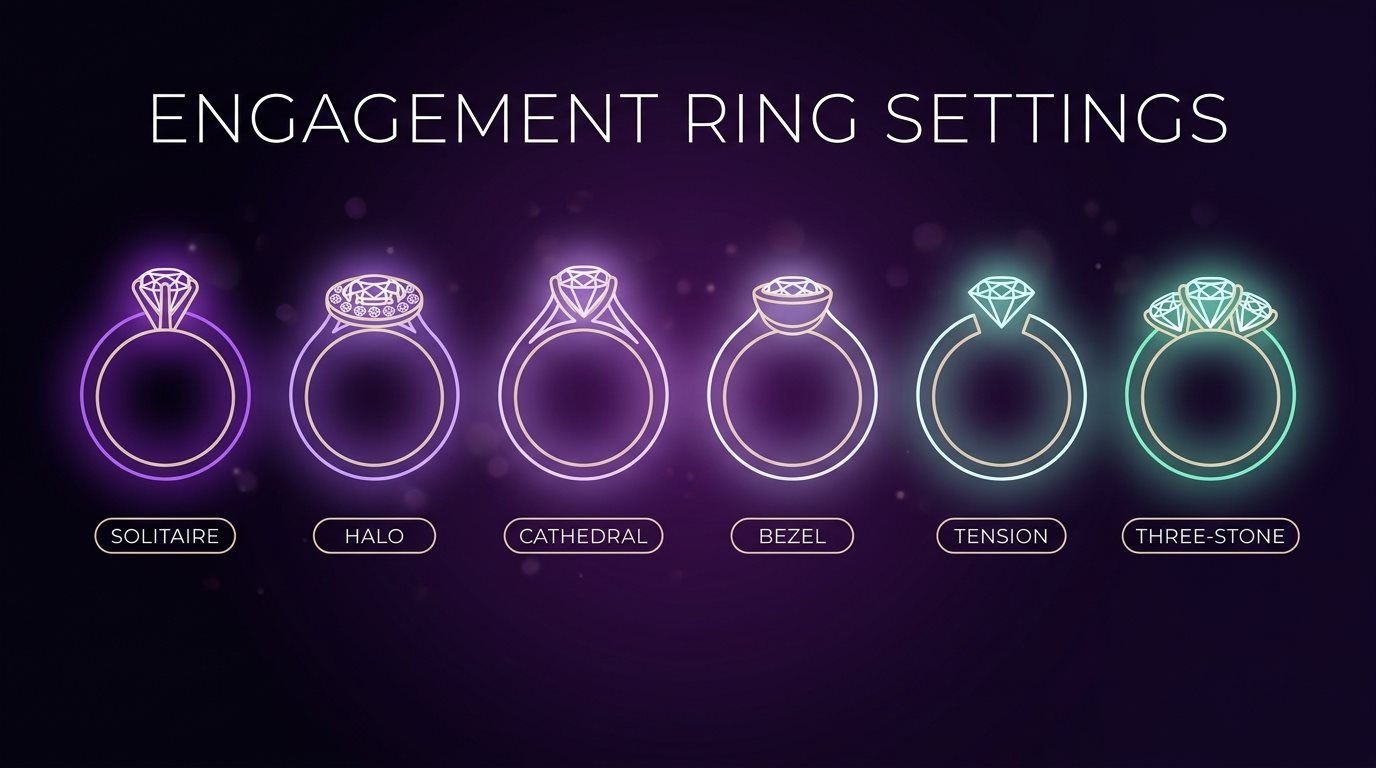
- A halo can read as "too much" on one hand and just right on another
- A cathedral setting tends to make a smaller stone look taller and more prominent
- A bezel sits close and low, better suited to hands that lean toward simpler, cleaner lines
- A tension setting looks striking in photos but is worth judging in person-level detail, since the "floating" effect changes a lot depending on lighting
- A three-stone setting changes the whole rhythm of the hand, not just the center point, and is often meant to represent past, present, and future
- A pavé band adds sparkle along the entire ring rather than concentrating it at the center
- A solitaire stays deliberately minimal, which is exactly why the cut and clarity of the center stone matter more here than almost anywhere else
It's worth knowing while comparing that bezel settings, hidden halos, and vintage-inspired designs have all been rising lately, while the plain solitaire has slowly stopped being the automatic default it used to be.
Watching How Small Details Change the Whole Ring
Band width and metal color shift things more than most people expect, and they're easy to underestimate until you compare them side by side.
Band width: a thin band makes the center stone feel more prominent, while a wider one makes the whole ring feel more substantial.
Metal tone: yellow gold, rose gold, white gold, and platinum can each make the same setting look like a completely different ring.
Skin tone match: a metal that looks great in a product photo doesn't always read the same way against a specific hand, which is exactly the kind of thing a generic photo can't show but a real preview can.
Metal tone is having a big moment, too. Yellow gold showed up in 36% of engagement rings in The Knot's 2024 Jewelry and Engagement Study, up from 9% in 2017, which says a lot about how much switching a metal tone can transform the exact same setting.
By the time you're done comparing, you're usually not choosing between dozens of options anymore. You've got two or three real favorites, seen clearly enough to trust the shortlist.
What Different Engagement Ring Try-On Tools Let You Change
Tools vary a lot here. With a photo-based try-on like ours, you change the design by trying different rings from the gallery, or by uploading photos of rings you've found, one after another on the same hand photo. Some retailers' ring builders go further and let you change individual pieces of a design, add engraving, or build a custom ring from scratch.
Changing the Stone Shape
You might start with a round diamond ring and then try an oval, a cushion, an emerald cut, or a pear. This matters more than it sounds, because oval has been catching up with round fast. The Knot found ovals on 25% of engagement rings in 2024 (up from just 2% in 2015), right behind round at 28%, partly because oval and marquise both show more visible spread per carat than a round stone does. Seeing two shapes side by side on the same hand answers a question no spec sheet can: does this shape suit my hand, or does it just look good on a model's?
Adjusting Carat Size and Coverage
Rather than picking a carat weight off a chart and hoping it translates, you can try a 0.75-carat ring and then a 1.5-carat one on the same hand photo and see how much of the finger each one covers.
This is especially useful as more couples weigh quality and craftsmanship against sheer size. A preview helps you decide where you land on that spectrum, instead of assuming bigger is automatically better.
Trying Different Metals
Yellow gold, rose gold, white gold, platinum: trying the same style in each of them shows you something a swatch or a small product thumbnail never quite communicates, which is how the metal tone reads against your specific skin tone, in your own lighting.
Swapping the Setting
Try the same kind of stone in a solitaire, a halo, a three-stone design, and a pavé band. Each one changes the whole visual weight of the ring along with the look. A halo adds presence around a smaller stone, a three-stone design changes the rhythm of the whole hand, and pavé adds sparkle without changing the center stone at all.
Adding Side Stones or Accents
Beyond the main setting, some retailers' ring builders let you add small accent stones along the band, or a subtle detail like a hidden gem tucked where only the wearer would notice it. These are often the details that make a ring feel personal rather than generic, like a birthstone or a stone chosen for what it represents rather than for tradition.
Name and Initial Engraving
A lot of retailers' ring builders let you preview text engraving directly on the inside or outside of the band (a name, initials, or a short word), so you can see how the spacing and font sit on the ring before it's real. Some go a step further and show the engraving in different script styles, since a delicate cursive can look completely different from a simple block font on the same width of band.
Image or Symbol Engraving
Beyond text, some ring builders now support previewing a small custom symbol or image element (a fingerprint, a tiny icon, a simplified motif tied to something specific) engraved into the band. Seeing it rendered on the actual ring, at actual scale, matters here more than almost anywhere else, since a detail that looks clean as a big image can turn into a blurry smudge once shrunk down onto a few millimeters of metal.
Building a Fully Custom Design
Some online builders let you combine all of the above into one custom ring and preview the complete result before ordering anything, rather than being limited to fixed, pre-assembled combinations a catalog happens to carry.
Put together, these options change the whole way you approach the decision. Instead of asking "which finished ring should I buy," it becomes "which parts of these rings do I actually like?" You might like the setting from one design, the band from another, and the stone shape from a third. Customization is also a real driver of growth in the ring industry right now, with more couples adding engravings, meaningful stones, and story-driven details rather than buying something generic off a shelf.
What You're Still Not Getting From a Screen
A preview that looks perfect can create confidence it hasn't earned yet, so it's worth being honest about where the limits are.
A screen can't tell you real comfort, or how a ring feels after wearing it for hours instead of seconds. It can't show true physical weight, or exactly how a setting sits against your finger day to day.
Sparkle and light performance tend to look more polished in a render than a real stone will under changing, real-world light, and setting height is easy to underestimate too, since a ring that looks great from the front might sit higher off the finger than expected once it's on. Craftsmanship details (finishing, stone setting, polish) are also easier to judge up close, in person, than in any digital preview.
None of that makes the preview pointless. It means treating it as one part of the decision rather than the whole thing, which is exactly why many shoppers still visit a physical store before finalizing a purchase, even after doing most of their comparing online first.
Final Word
Finding an engagement ring gets a lot easier once you can see the design on your own hand instead of just imagining it. A virtual engagement ring try-on lets you try ring after ring, with different stones, settings, and metals, on your own hand until you land on one that feels right on you, instead of one that only looked good in a product photo.
Have a ring in mind? Try it out here and see if it looks the way you pictured.
FAQs
Can I use a try-on tool to preview a ring for my partner without them knowing?
Yes. Upload a casual photo of their hand (no explanation needed), and it works the same as previewing on your own hand. It's one of the most common ways people use this before a proposal.
Does the try-on tell me my exact ring size?
No. It shows how big the ring looks on your finger, which is useful for comparing styles, but it doesn't measure your size. Confirm your actual size with a proper measurement before you order.
Can I actually customize a ring, or just preview existing designs?
It depends on the tool. Ours previews existing designs: pick a ring from the gallery or upload a photo of any ring you've found. Some retailers' ring builders let you design from scratch (changing stone shape, metal, setting, even adding engraving) before generating a preview.
Is a virtual preview enough to skip an in-person visit entirely?
Not fully. It's great for narrowing down your options with real confidence, but it can't confirm comfort, physical weight, or craftsmanship. Most people still benefit from a final in-person check before ordering.
Does the try-on grade the diamond for me?
No. It only shows how a stone looks, and it can't tell you its actual quality. You still need to check the 4Cs (cut, color, clarity, carat) and confirm independent certification from GIA or IGI separately.
Find Your Perfect Ring in Seconds
Stop guessing and start seeing. Our AI-powered virtual ring checker analyzes your preferences to reveal the perfect diamond for you. It's fast, fun, and finds your fit.
Try Our AI Checker Now